How to Integrate Adaptive Controls and Customizable UIs into Control Room Consoles.
- Share
- Issue Time
- Sep 29,2026
Summary
The article emphasizes the critical need for modern control room consoles to adopt adaptive and customizable interfaces, moving away from archaic, rigid designs. Traditional interfaces contribute to poor ergonomics, information overload, and operator fatigue, hindering decision-making and increasing error rates. Operators often struggle with data overwhelming, leading to cognitive strain and reduced situational awareness. The solution lies in a user-centric design philosophy, integrating both ad
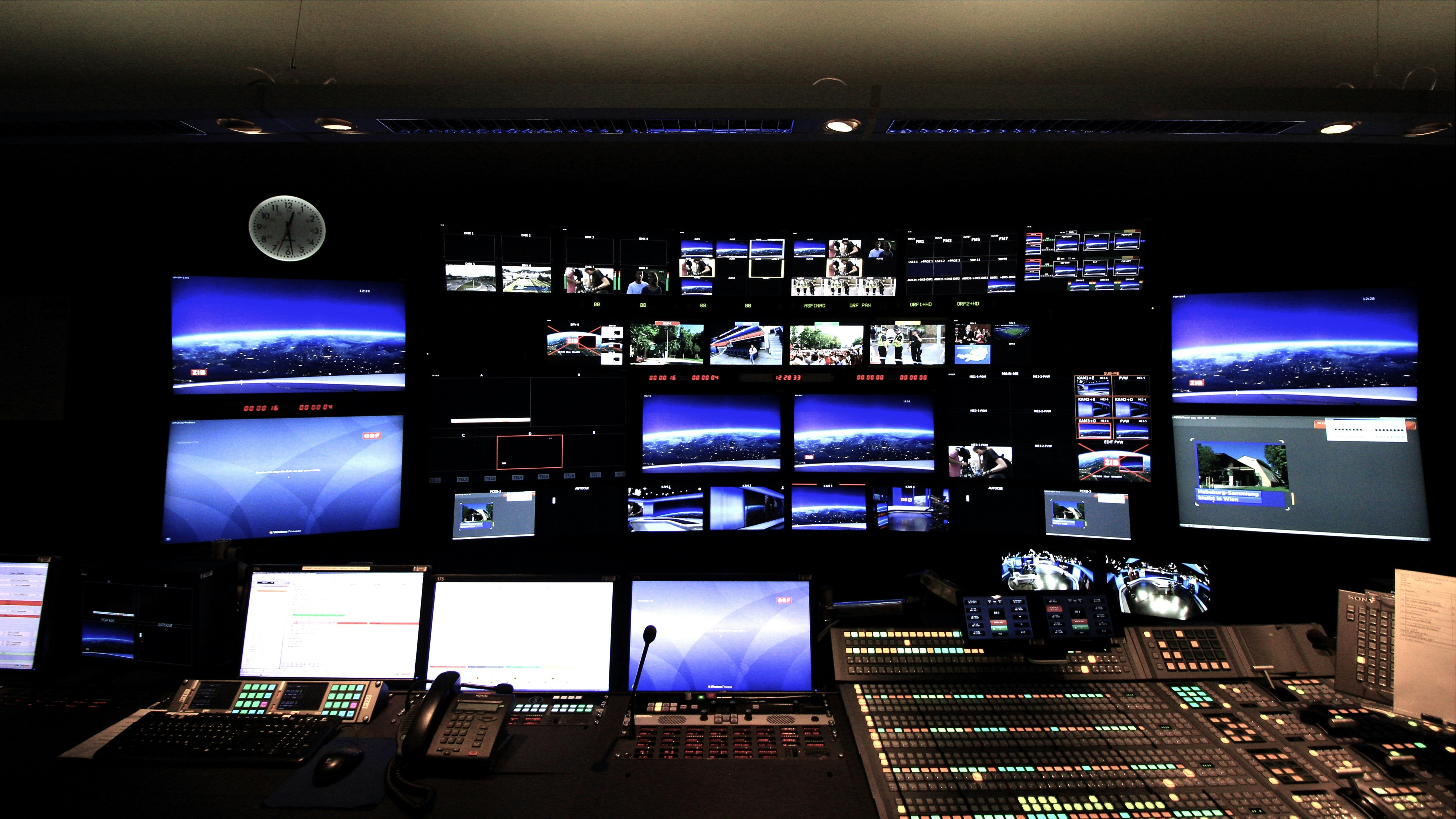
Why Modern Control Room Consoles Demand Adaptive and Customizable Interfaces
As operational environments become increasingly complex, control room consoles stand as the nerve centers for critical operations across industries like energy, manufacturing, security, and transportation. The way operators interact with these vital systems must evolve beyond the rigid, one-size-fits-all interfaces of the past. To ensure safety, efficiency, and accuracy, we must embrace adaptability and personalization. This article will guide you through the principles and strategies for integrating adaptive controls and customizable user interfaces (UIs), transforming your control room from a static monitoring station into a dynamic, operator-centric command hub. By the end, you will have a clear roadmap for modernization that empowers operators, reduces cognitive strain, and future-proofs your operations.
The limitations of traditional, rigid control room consoles from my point of view.
Traditional control room consoles, often built on legacy SCADA and HMI systems, are characterized by their static and inflexible nature. These "one-size-fits-all" interfaces present the same information in the same layout to every operator, regardless of their role, experience level, or the urgency of the current situation. This rigidity leads to several significant limitations that can compromise operational effectiveness.
Firstly, poor ergonomics and human-factors engineering are common. Operators may be forced to navigate cluttered screens, decipher poorly designed graphics, and physically strain to view multiple, non-integrated displays. This can lead to physical fatigue and discomfort, which directly impacts an operator's ability to maintain focus over long shifts. The lack of personalization means that an experienced senior operator is often presented with the same simplistic interface as a novice, hindering their ability to access advanced functions quickly. Conversely, a new trainee can be easily overwhelmed by an information-dense screen that is not tailored to their learning needs.
Secondly, these systems struggle to adapt to evolving operational needs. When new equipment is added, a process is updated, or new data sources become available, modifying a rigid interface is often a costly and time-intensive process that requires specialized programmers. This creates a significant lag between operational changes and the ability of the control room to effectively monitor and manage them, leaving operators to rely on manual workarounds that increase the risk of error.
Finally, information is frequently siloed. A security alert system may not integrate with the building access control display, or a process alarm might not automatically pull up the relevant maintenance logs. This lack of integration forces operators to manually correlate data from disparate systems, slowing down their response and increasing the cognitive effort required to build a complete picture of the situation. These limitations collectively create an environment where operator error is more likely, response times are slower, and efficiency is fundamentally capped by the system's inflexibility.
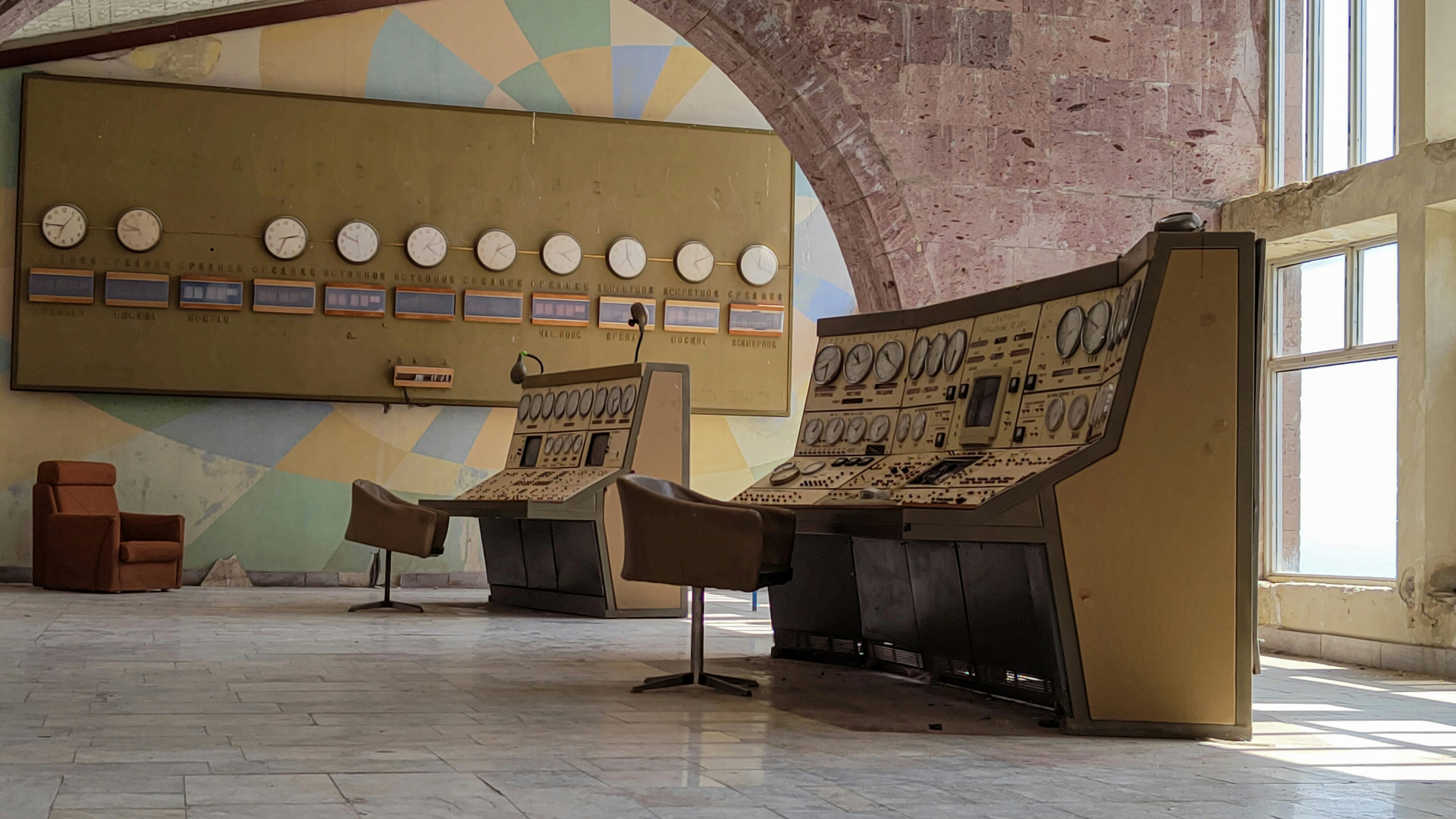
Understanding data overload and complexity facing operators in control room consoles.
Modern control rooms are flooded with an unprecedented amount of data. With the proliferation of IoT sensors, advanced analytics, and interconnected systems, operators are no longer just monitoring a few key metrics; they are tasked with supervising thousands of data points simultaneously. This phenomenon, known as "data overload" or "information overload," poses a significant challenge to human cognitive capabilities and is a primary driver for the adoption of more intelligent interfaces.
The core problem is the signal-to-noise ratio. In a crisis, an operator needs to quickly identify the critical "signal"—the specific alarms or data points that indicate the root cause of the problem—amidst a cacophony of "noise" from irrelevant or low-priority data streams. Traditional systems often exacerbate this issue with "alarm flooding," where a single fault can trigger a cascade of hundreds of related alerts, effectively paralyzing the operator's ability to diagnose and act. Research indicates that the human brain can only effectively process a limited number of information chunks at one time, and exceeding this limit leads to a state of cognitive overload.
When experiencing cognitive overload, operators suffer from several detrimental effects:
- Decision Paralysis: The sheer volume of information can make it impossible to make a timely decision, as the operator struggles to evaluate all variables.
- Reduced Situational Awareness: Instead of having a clear, high-level understanding of the operational state, the operator gets bogged down in low-level data, losing sight of the bigger picture.
- Increased Error Rate: Under pressure and overwhelmed by data, the likelihood of misinterpreting information or making a mistake in control actions increases dramatically.
The complexity is not just in the volume of data but also its interconnectedness. Understanding the ripple effects of a single event across multiple subsystems requires a level of mental modeling that is difficult to maintain under stress. Without interfaces that can intelligently filter, prioritize, and contextualize this data, we are placing an unsustainable burden on our operators and, by extension, jeopardizing the safety and efficiency of our critical operations.
My belief in improved operator efficiency and reduced cognitive load for our control room consoles.
The primary goal of integrating adaptive and customizable interfaces is to directly counter the challenges of rigidity and data overload. By shifting the design philosophy from system-centric to user-centric, we can significantly improve operator efficiency and reduce cognitive load. This isn't just a matter of convenience; it's a strategic imperative for enhancing performance and safety in critical environments.
An adaptive interface reduces cognitive load by acting as an intelligent filter between the raw data stream and the operator. Instead of presenting everything at once, it dynamically adjusts the information display based on the operational context. For example, during a critical plant shutdown sequence, the interface can automatically hide non-essential data like routine production targets and instead highlight relevant valve positions, pressure levels, and temperature readings. This context-aware filtering allows operators to dedicate their limited cognitive resources to the task at hand, enabling faster and more accurate decision-making. As human factors expert David Strobhar notes, an effective HMI should help operators anticipate the future, not just report the past.
Customization further enhances this by empowering operators to tailor the interface to their specific needs and preferences. An experienced operator might create a dense dashboard with detailed trend graphs and analytics, while a junior operator might prefer a simplified view with step-by-step guidance. This personalization leads to several key benefits:
| Benefit | Description |
|---|---|
| Increased Efficiency | Operators can arrange tools and data to match their workflow, minimizing unnecessary clicks and navigation. |
| Reduced Error Rates | A comfortable and familiar interface reduces the likelihood of mistakes caused by confusion or misinterpretation. |
| Higher Job Satisfaction | Giving operators control over their digital workspace fosters a sense of ownership and reduces frustration. |
| Faster Onboarding | New hires can start with simplified, role-based templates and gradually add complexity as their skills grow. |
By combining the automated intelligence of adaptive controls with the personal empowerment of customizable UIs, we create a synergistic effect. The system anticipates the operator's needs, while the operator fine-tunes the environment for maximum personal effectiveness. This partnership between the human and the machine reduces mental strain, allowing the operator to transition from a reactive problem-solver to a proactive, strategic supervisor of the operation.
Exploring Adaptive Controls for Next-Generation Control Room Consoles
Moving beyond static interfaces requires embracing adaptive controls—systems that intelligently modify themselves in response to changing conditions. These controls are the foundation of a truly next-generation control room, transforming the console from a passive display into an active partner in the decision-making process. Understanding what adaptive controls are and how they function is the first step toward unlocking their immense potential.
What adaptive controls mean for control room consoles.
In the context of a control room, an adaptive control or adaptive user interface is a system that automatically adjusts its content, layout, and functionality based on a given context. Unlike a merely customizable interface, which relies on the user to make manual changes, an adaptive interface changes on its own to optimize the operator's experience in real-time. The goal is to present the right information, in the right way, at the right time, without direct user intervention.
This "context" can be defined by a variety of factors:
- Operational State: The system behaves differently during startup, normal operation, shutdown, or an emergency. For instance, during a high-priority alarm, the interface might automatically switch to a dedicated "emergency" layout that highlights critical controls and suppresses distracting information.
- User Role and Permissions: A maintenance technician signing into a console will see a different interface than a senior shift supervisor. The technician's view might prioritize diagnostic tools and equipment schematics, while the supervisor's view focuses on high-level KPIs and incident management workflows.
- User Behavior: Sophisticated systems can learn from an operator's actions. If an operator frequently accesses two specific data screens in sequence, the system might eventually suggest combining them into a single view or creating a shortcut.
- External Factors: The interface can adapt based on environmental data. For example, a traffic management console might automatically display weather alerts and re-routing suggestions when it detects heavy rain in the area.
Essentially, adaptive controls apply the principles of dynamic systems and artificial intelligence to the human-machine interface. They analyze a continuous stream of contextual data to make intelligent decisions about how to best present information and controls to the human operator, thereby minimizing complexity and maximizing relevance.
How adaptive controls enhance decision-making and response times in control room consoles.
The core value of adaptive controls lies in their ability to streamline the cognitive workflow of an operator, which directly enhances decision-making and shortens response times. By proactively managing the information presented, these systems enable operators to grasp situations faster and act more decisively.
One of the primary mechanisms for this is through attention guidance. In a critical situation, an adaptive interface guides the operator's focus to where it's needed most. Instead of the operator having to scan a dozen screens to find the source of an alarm, the system can automatically bring the relevant display to the forefront, zoom in on the fault location on a P&ID diagram, and simultaneously open the corresponding standard operating procedure (SOP). This guided workflow eliminates precious seconds or even minutes spent on information foraging, allowing the operator to immediately begin the diagnostic and corrective process.
Adaptive controls also improve situational awareness. By decluttering the interface and prioritizing data based on the current context, the system helps the operator build an accurate mental model of the situation more quickly. For example, if a power grid experiences a fault, an adaptive system can gray out the stable parts of the grid and use color and motion to highlight the cascading overload effect in real time. This makes the scope and trajectory of the problem instantly understandable, enabling better strategic decisions about load shedding or rerouting power.
This leads to a significant reduction in response time. A study by the Abnormal situation management consortium found that ineffective HMIs were a major contributor to delayed responses in industrial incidents. By presenting clear, context-sensitive information, adaptive interfaces can reduce the time it takes for an operator to orient to a problem, decide on a course of action, and execute that action. This speed is critical in environments where a delayed response of just a few moments can lead to catastrophic equipment failure, environmental damage, or safety incidents.
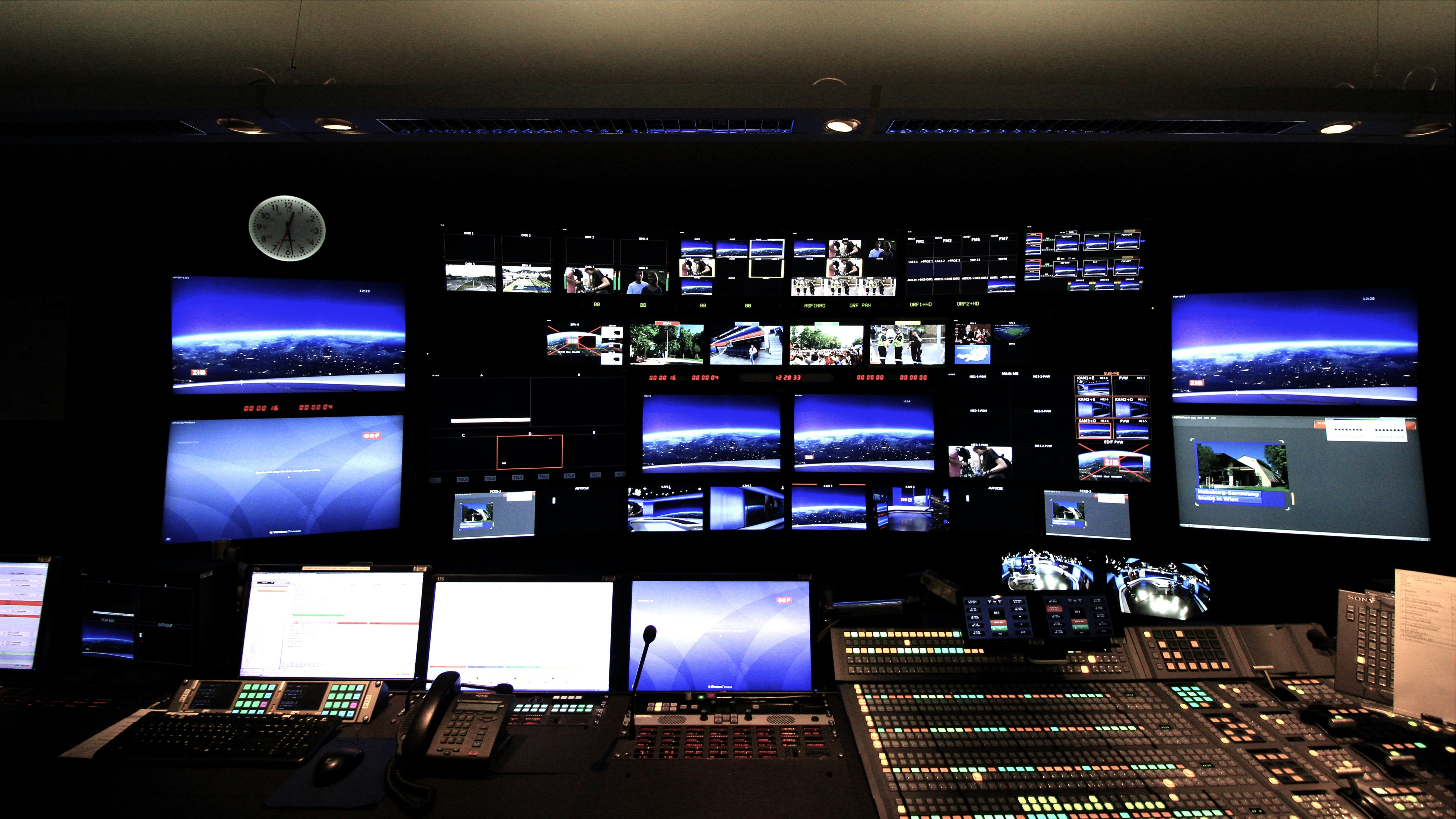
Examples: context-aware data and predictive alerts within control room consoles.
The power of adaptive controls is best understood through practical examples that illustrate how they function in real-world scenarios. Context-aware data presentation and predictive alerts are two of the most impactful applications.
Context-Aware Data Presentation:
Imagine an operator monitoring a natural gas pipeline network. The adaptive control system would tailor the interface based on the following contexts:
- Normal Operation: The main dashboard displays high-level KPIs such as total flow rate, system-wide pressure, and compressor station efficiency. The geographic map provides a calm, green overview of the entire network.
- Scheduled Maintenance: When a maintenance team is dispatched to a specific valve station, the operator's view automatically changes. The map view zooms into the relevant section, displaying the valve's current status, real-time pressure readings upstream and downstream, and a link to the digital work permit. The main KPI dashboard is replaced by a widget tracking the maintenance team's progress and safety status.
- Leak Detection Alarm: If a sensor detects a pressure drop indicative of a leak, the interface undergoes a dramatic, instantaneous transformation.
- An audible alarm sounds, and the screen flashes red.
- The map immediately centers on the suspected leak location, highlighting the affected pipeline segment.
- A new panel appears, automatically displaying trend data for pressure and flow for the 15 minutes leading up to the alarm.
- Control buttons for emergency shutdown valves in that segment are brought to the forefront, while unrelated controls are grayed out to prevent accidental clicks.
- An information widget pops up with the emergency response checklist for a suspected leak.
Predictive Alerts:
Predictive alerts move beyond simple threshold-based alarms by using historical data and AI models to forecast potential problems before they occur.
Manufacturing Plant: A machine learning model continuously analyzes vibration, temperature, and power consumption data from a critical motor. The model detects a subtle, but growing, vibration signature that correlates with past bearing failures. Instead of waiting for the vibration to exceed a critical threshold, the system generates a predictive alert:
- A yellow, low-priority notification appears on the operator's console: "Predictive Alert: Motor A-102 shows an 85% probability of bearing failure within the next 72 hours. Recommend scheduling inspection."
- The alert includes a link to a detailed analytics page showing the data trends that triggered the prediction, allowing an engineer to verify the finding. This enables maintenance to be scheduled during a planned shutdown, avoiding costly unplanned downtime and a potentially dangerous catastrophic failure.
Utility Grid Management: An AI monitors weather forecasts, historical load data, and social media event calendars. It predicts that a combination of a major sporting event ending and an incoming heatwave will cause a demand spike that could overload a specific substation in a residential area.
- The system alerts the grid operator hours in advance: "Predictive Alert: High probability of demand exceeding capacity at Substation B-7 starting at 10:00 PM. Recommend proactive load balancing from Substation C-4."
- The interface then displays a simulation of the predicted overload and suggests an optimal power rerouting strategy. The operator can then take preemptive action, ensuring system stability and preventing a blackout.
These examples show that adaptive controls are not just about aesthetics; they are powerful tools that filter reality, guide attention, and provide foresight, fundamentally elevating the capabilities of the human operator.
Empowering Operators with Customizable UIs in Control Room Consoles
While adaptive controls intelligently automate the user experience, customization empowers the individual operator by giving them direct control over their digital environment. A user-centric design philosophy recognizes that the most effective tool is one that can be shaped by its user. Providing customizable UIs is a critical part of modernizing control room consoles, leading to greater operator satisfaction, reduced error, and a more engaged workforce.
My argument for user-centric design and customization in control room consoles.
The argument for user-centric design in control rooms is rooted in the simple fact that human operators are not interchangeable components; they are individuals with unique workflows, experience levels, and cognitive styles. A one-size-fits-all interface inherently forces some, if not all, operators to work in a suboptimal manner. User-centric design flips the script: instead of forcing the user to adapt to the system, it allows the system to be adapted by the user.
Personalization is a key tenet of this approach. Just as a carpenter organizes their toolbox to their liking, a control room operator should be able to organize their digital workspace. An experienced operator with 20 years on the job has developed a deep mental model of the process they control. They know which data points are leading indicators and which are lagging, and they have their own trusted methods for troubleshooting. A customizable UI allows them to build a dashboard that reflects this expertise, placing critical information front-and-center and arranging controls to match their personal workflow. This not only makes them faster but also leverages their valuable experience to its fullest potential.
Furthermore, customization is inclusive. It accommodates differences in visual acuity (font sizes, color schemes), left- or right-handed mouse use, and even personal preference for light or dark modes to reduce eye strain during long shifts. These seemingly small adjustments can have a significant impact on operator comfort and long-term well-being, reducing fatigue and improving focus.
By placing the operator at the center of the design process, we acknowledge their critical role. We provide them with tools that they can master and make their own, which fosters a sense of ownership and professionalism. This empowerment translates directly into higher engagement, improved morale, and a proactive attitude toward operational management. It’s a shift from viewing operators as simple monitors of a system to valuing them as expert pilots of a complex process, equipped with a cockpit they have configured for peak performance.
Key customizable UI elements: widgets, dashboards, and viewing preferences for control room consoles.
To deliver genuine empowerment, a customizable UI must offer a robust set of configurable elements. These tools allow operators to move beyond a static screen and build a dynamic workspace tailored to their precise needs. The most effective customizable HMI/SCADA platforms provide a range of options, often presented in a user-friendly, drag-and-drop environment.
Here are some of the key customizable elements:
1. Dashboards and Layouts: This is the highest level of customization. Operators should be able to create, save, and switch between multiple dashboard layouts.
- Role-Based Dashboards: A "Normal Operation" dashboard might show production KPIs, while an "Incident Response" dashboard shows alarm lists and safety procedures.
- Personal Layouts: Each operator can save their own preferred arrangement of windows and widgets, which loads automatically when they log in.
- Multi-Monitor Support: The system should allow users to easily drag and drop windows and widgets across multiple physical screens to create an expansive, ergonomic workspace.
2. Widgets and Components: Widgets are modular, self-contained blocks of information or functionality that can be placed anywhere on the dashboard.
- Data Widgets: These can include real-time trend charts, bar graphs, numerical readouts, analog-style gauges, and alarm lists. Operators can choose which data points to display and how to visualize them.
- Functional Widgets: These might include a calculator, a unit converter, a notepad for shift notes, or a communication panel to chat with field personnel.
- Media Widgets: The ability to embed live video feeds from CCTV cameras, display PDF documents (like SOPs or manuals), or even show a weather forecast map adds rich context to the workspace.
3. Viewing Preferences and Theming: These options control the look and feel of the interface to improve readability and reduce eye strain.
- Font and Icon Sizing: Operators can adjust text and symbol sizes to match their visual comfort level, a critical accessibility feature.
- Color Themes: The ability to switch between a bright "day mode" and a "dark mode" is essential for 24/7 operations, helping to reduce glare and eye fatigue during night shifts.
- Alarm Color Customization: While adhering to industry standards (like ISA 101), some systems allow operators to customize the specific hues or saturation of alarm colors to account for color blindness or personal preference.
The table below summarizes these key customizable elements:
| Element Category | Examples of Customization | Benefit for the Operator |
|---|---|---|
| Dashboards & Layouts | Create and save personal screen layouts, arrange windows across multiple monitors. | Creates an optimized workflow and ergonomic setup. |
| Widgets & Components | Drag-and-drop trend charts, alarm lists, video feeds, and note pads. | Allows operators to build a view with only the information they need. |
| Viewing & Theming | Adjust font sizes, switch between light/dark modes, modify color schemes. | Improves readability, reduces eye strain, and enhances accessibility. |
By providing a rich toolkit of such elements, organizations empower their operators to transform a generic console into a personalized command center.
The observed benefits: increased satisfaction and reduced training time for new control room consoles.
The implementation of customizable UIs yields tangible, measurable benefits that extend beyond operator comfort. These advantages contribute directly to the bottom line through improved efficiency, safety, and employee retention.
Increased Operator Satisfaction and Reduced Turnover: When operators are given the tools to shape their work environment, job satisfaction increases significantly. They feel a greater sense of control, professionalism, and respect, which leads to higher engagement and morale. This is a powerful antidote to the burnout and frustration often associated with rigid, poorly designed legacy systems. An operator who is comfortable and satisfied with their tools is more likely to be focused, proactive, and committed to their role. This positive work environment can be a key factor in retaining highly skilled and experienced operators, reducing the significant costs associated with employee turnover and recruitment.
Reduced Training Time and Faster Onboarding: Intuitive, customizable interfaces can dramatically shorten the learning curve for new operators. Instead of confronting a new hire with a complex, overwhelming screen full of information they don't yet understand, trainers can provide them with a simplified, role-based starting template. This initial dashboard might only contain the most critical a few key indicators and controls necessary for basic operation.
As the trainee gains experience and confidence, they can be taught how to add new widgets and customize their layout to incorporate more advanced information. This phased approach to learning is far more effective than the "all-at-once" method imposed by static systems. It reduces initial anxiety and allows new operators to build a solid foundation of understanding before moving on to more complex tasks. The ability to customize also means that the interface can be made to look and feel similar to other modern software, leveraging the digital literacy that new generations of workers bring to the job. This familiarity further accelerates the onboarding process, allowing new hires to become productive members of the team more quickly.
In essence, customization transforms the control room console from an intimidating obstacle into an intuitive partner in the operator's professional development.
My Strategic Guide to Integrating Innovations into Control Room Consoles
Integrating adaptive and customizable technologies into an existing control room is not merely a "plug-and-play" task. It is a significant project that requires careful planning, strategic execution, and a deep understanding of both the technology and the human factors involved. A well-defined strategic guide is essential to ensure the transition is smooth, the investment is maximized, and the operational benefits are fully realized. This guide outlines a phased approach, from initial assessment to continuous improvement.
Assessing current control room consoles: identifying integration points and challenges.
The first step in any modernization project is a thorough assessment of the current state. This audit should be comprehensive, covering technology, processes, and people to create a complete picture of the existing ecosystem. The goal is to identify both the opportunities for integration and the potential challenges that could derail the project.
Technology Audit:
- Hardware: Inventory all existing console furniture, monitors, computers, and network hardware. Are the workstations powerful enough to run modern graphical interfaces? Is the monitor real estate sufficient? Is the network bandwidth adequate for increased data flow?
- Software: Document all current HMI/SCADA software, alarm management systems, data historians, and any other relevant applications. Identify their versions, communication protocols (e.g., OPC-UA, Modbus), and data structures. This is crucial for determining compatibility with new platforms. Legacy systems with proprietary protocols can present significant integration challenges.
- System Architecture: Map out how data flows between different systems. Where are the information silos? Identifying these gaps will highlight key integration points where a unified interface could provide the most value.
Process Audit:
- Workflows: Observe and document how operators perform key tasks. How do they respond to an alarm? How do they conduct a shift handover? How do they generate reports? Understanding these workflows will ensure the new system supports and improves them, rather than disrupting them.
- Pain Points: Interview operators to identify their biggest frustrations with the current system. Is the alarm system too noisy? Is it difficult to find historical data? These pain points should become primary targets for improvement in the new design.
Challenges to Identify:
- Legacy System Lock-in: Are you tied to a single vendor with a closed, proprietary system? This is often the biggest hurdle to modernization.
- Interoperability Issues: Will the new HMI platform be able to communicate effectively with all your existing PLCs, sensors, and databases?
- Infrastructure Limitations: Does the physical control room have adequate power, cooling, and space for new equipment?
- Resistance to Change: How will veteran operators, accustomed to the old system for years, react to a new interface? Identifying this cultural challenge early is critical.
This assessment phase produces a foundational document that catalogs your assets, clarifies your limitations, and defines the specific problems you aim to solve.
Developing a strategic roadmap and managing expectations for new control room consoles.
With a clear understanding of the current state, the next step is to develop a phased, strategic roadmap for implementation. Attempting a "big bang" switchover where the entire system is replaced overnight is extremely risky and rarely successful. A carefully planned, iterative approach is far more effective and allows for learning and adjustment along the way.
The Strategic Roadmap:
Phase 1: Pilot Project:
- Scope: Select a small, non-critical part of the operation to serve as a testbed for the new technology. This could be a single production line, a specific utility substation, or a training simulator.
- Goal: The aim is to test the technical integration, gather initial operator feedback, and demonstrate the value of the new system to stakeholders. This provides a "quick win" and builds momentum.
Phase 2: Foundational Rollout:
- Scope: Implement the new HMI/SCADA platform for a larger, more significant portion of the operation. This phase focuses on establishing the core infrastructure and implementing the most critical adaptive and customizable features identified in the assessment.
- Goal: Replace a major piece of the legacy system and achieve a measurable improvement in operator efficiency or situational awareness.
Phase 3: Expansion and Enrichment:
- Scope: Roll out the new platform across all remaining operational areas. Begin integrating more advanced features like AI-driven predictive alerts and connections to enterprise resource planning (ERP) systems.
- Goal: Achieve a fully integrated, unified control environment across the entire operation.
Managing Expectations:
Throughout this process, managing the expectations of all stakeholders is paramount.
- Leadership: Be transparent about the timeline, budget, and expected ROI. Use data from the pilot project to build a strong business case. Emphasize that this is not just an IT upgrade but a strategic operational improvement.
- Operators: Involve them from the very beginning. Communicate clearly that the goal is not to replace them, but to empower them with better tools. Reassure them that training and support will be extensive.
- IT and Engineering: Work closely with these teams to ensure the roadmap is technically feasible. Acknowledge the challenges of integrating with legacy systems and allocate resources accordingly.
A public, well-communicated roadmap ensures that everyone understands the vision, the timeline, and their role in the journey, preventing surprises and fostering a collaborative spirit.
My emphasis on operator training and continuous feedback for successful new control room consoles.
Technology alone does not guarantee success. The most sophisticated control system in the world is useless if its operators don't know how to use it effectively or if it doesn't truly meet their needs. Therefore, robust training and a commitment to continuous feedback are the most critical components of a successful integration strategy. This is the heart of change management in a control room environment.
Operator Training Strategy:
Training must go beyond a single, one-off session. It should be an ongoing program that supports operators before, during, and after the transition.
- Early Involvement: Involve a group of "power users" or operator champions in the design and pilot phase. They can provide invaluable early feedback and later act as advocates and trainers for their peers.
- Simulation-Based Training: The safest and most effective way to train operators on a new system is through a high-fidelity simulator. This allows them to explore the new interface, practice normal procedures, and, most importantly, respond to simulated emergencies in a risk-free environment.
- Blended Learning: Combine different training methods. Use self-paced e-learning modules for foundational knowledge, classroom sessions for theory, and extensive hands-on time in the simulator for practical skills.
- Ongoing Refreshers: Technology and operations evolve. Schedule regular refresher training sessions to introduce new features and reinforce best practices.
The Continuous Feedback Loop:
The launch of the new system is not the end of the project; it is the beginning of a continuous improvement cycle. You must establish formal channels for operators to provide feedback.
- Regular Meetings: Hold regular meetings between operators, supervisors, and the integration team to discuss what's working and what's not.
- Feedback Tools: Integrate a "feedback" button directly into the UI that allows operators to instantly report a bug, suggest an improvement, or ask a question.
- Performance Monitoring: Use the system's own analytics to identify areas where operators may be struggling. Are they taking an unusually long time to complete a certain task? Are they frequently using a workaround? This data can highlight areas where the UI or training needs improvement.
By creating a culture where operator feedback is actively solicited, valued, and acted upon, you ensure that the system evolves to meet the real-world needs of its users. This collaborative approach turns operators into partners in the system's success, guaranteeing its long-term adoption and effectiveness.
The Future Landscape: What I Envision for Control Room Consoles
The evolution of the control room is far from over. The integration of adaptive controls and customizable UIs is a crucial step, but it also sets the stage for even more profound transformations. Looking ahead, emerging technologies like Artificial Intelligence (AI) and Augmented/Virtual Reality (AR/VR) are poised to redefine the very concept of a control room console, moving us toward a future of predictive, immersive, and deeply intelligent operations.
My predictions: AI and AR/VR redefining future control room consoles.
The next decade will see control rooms transition from information dashboards to intelligent advisory systems, with AI and immersive technologies at the core.
Artificial Intelligence (AI) and Machine Learning (ML):
AI will become the cognitive engine of the future control room. Its role will expand far beyond the predictive alerts we see today.
- Prescriptive Analytics: AI won't just predict a failure; it will prescribe the optimal solution. It will analyze a complex fault, consider all operational and business constraints (e.g., cost, downtime, available personnel), and present the operator with a ranked list of solutions with their pros and cons. For example: "Prescriptive Action: Reroute flow through pipeline B. This is the fastest solution (15 mins) but will incur a 5% efficiency loss. Alternative: Throttle pump 12 and wait for field crew (45 mins), which maintains 100% efficiency."
- AI as a Co-Pilot: AI will act as an ever-present assistant, monitoring operator actions and offering guidance. It could detect if an operator seems to have forgotten a step in a complex procedure and provide a subtle prompt. During a crisis, it could automatically manage low-priority tasks, allowing the human operator to focus on the most critical decisions.
- Digital Twins: The console will become a window into a "digital twin"—a perfect, real-time virtual simulation of the entire physical operation. Before taking an action in the real world, an operator can first execute it on the digital twin to simulate its consequences, eliminating risk and verifying the outcome.
Augmented Reality (AR) and Virtual Reality (VR):
AR and VR will break the control room out of its physical confines and blend the digital and physical worlds.
- Augmented Reality for Field Operations: The control room's data will be accessible anywhere. A field technician wearing AR glasses can look at a physical pump and see its real-time performance data, maintenance history, and temperature overlaid directly on their vision. A remote expert in the central control room could see what the technician sees and draw annotations in their field of view to guide them through a complex repair.
- Virtual Reality for Training and Collaboration: VR will create fully immersive and realistic training environments. New operators can be put through a simulated catastrophic plant failure in a VR headset, experiencing the stress and pressure in a completely safe yet unforgettable way. Entire teams, geographically distributed, could meet in a virtual control room to collaboratively manage a simulated crisis, honing their teamwork and communication skills.
The future console will be less about observing data on screens and more about interacting with an intelligent digital counterpart of the entire operation, both within the control room and out in the field.
Emphasizing scalability and future-proofing investments in control room consoles.
Given the rapid pace of technological change, making a long-term investment in control room technology can feel daunting. The key to avoiding obsolescence is to prioritize scalability and future-proofing in every decision. This means designing a system that can grow and evolve, rather than one that will need to be completely replaced in five to ten years.
Core Principles for Future-Proofing:
Embrace Open Standards: Avoid proprietary, closed ecosystems at all costs. Base your system architecture on open standards like OPC UA, MQTT, and HTML5. This ensures interoperability and gives you the freedom to integrate best-in-class hardware and software from any vendor in the future, rather than being locked into one company’s roadmap.
Modular, Microservices-Based Architecture: Instead of a single, monolithic HMI/SCADA application, opt for a platform built on microservices. In this model, functionalities like alarming, data history, and visualization are separate, independent services. This makes the system far more scalable and easier to update. You can upgrade or replace the "alarming" service with a new AI-powered one without having to touch the rest of the system.
Hardware Agnosticism: The software platform should be able to run on a variety of hardware, from traditional workstations to tablets and AR glasses. The UI should be built on responsive design principles, allowing it to adapt to any screen size. This ensures that as your hardware evolves, your core software remains viable.
Data-Centric Design: The most valuable asset you have is your operational data. Ensure your architecture includes a robust, scalable, and accessible data historian. This data is the fuel for all future AI and machine learning applications. The platform should be designed to easily connect to and leverage this central data repository.
The table below illustrates the shift in thinking required for a future-proof investment:
| Traditional Approach (Rigid) | Future-Proof Approach (Scalable) |
|---|---|
| Single-vendor, proprietary system. | Open standards, multi-vendor ecosystem. |
| Monolithic application. | Modular, microservices-based architecture. |
| Tied to specific PC hardware. | Hardware-agnostic, responsive design. |
| Data trapped in the HMI. | Centralized, accessible data historian. |
By investing in a flexible, open, and modular foundation, you are not just buying a new control room console; you are building a platform for continuous innovation. This strategic approach ensures that your control room can seamlessly incorporate the AI co-pilots, AR overlays, and digital twins of tomorrow, securing your operational effectiveness for years to come.
Key Takeaways
Integrating adaptive controls and customizable user interfaces is a critical modernization step for any control room. These technologies work together to transform a static, fatiguing environment into a dynamic, operator-centric command hub. Adaptive controls reduce cognitive load by intelligently filtering information based on context, while customization empowers operators by allowing them to tailor their digital workspace to their unique needs and workflows. The result is faster response times, fewer errors, and improved situational awareness. A successful implementation requires a strategic, phased approach that begins with a thorough assessment of existing systems, involves operators throughout the process, and prioritizes robust training and a continuous feedback loop. By building on an open, scalable platform, organizations can not only improve present operations but also create a future-proof foundation ready to incorporate next-generation technologies like AI, AR, and digital twins.
Frequently Asked Questions (FAQ)
Q1: What is the main difference between an adaptive and a customizable UI? A: A customizable UI is manually configured by the operator to suit their preferences—they can move widgets, change colors, or save layouts. An adaptive UI changes automatically based on the context, such as the operational state or user role, without direct operator intervention. A modern control room ideally uses both: an adaptive system to handle major contextual shifts (like an emergency) and customization tools to allow for personal fine-tuning within that context.
Q2: Will implementing these advanced UIs lead to a reduction in the number of operators? A: The primary goal of these technologies is not to replace operators but to empower them. By automating routine data filtering and providing better decision support tools, adaptive and customizable UIs allow operators to shift their focus from low-level monitoring to high-level strategic supervision. This elevates their role, enabling them to manage more complex situations with greater efficiency and safety. The focus is on augmenting human capability, not eliminating it.
Q3: Our operators are used to the old system. How can we overcome resistance to change? A: Overcoming resistance requires a strong change management strategy. Key steps include: 1) Involving operators early in the design and selection process to give them a sense of ownership. 2) Clearly communicating the benefits of the new system, focusing on how it will make their job easier and less stressful. 3) Providing extensive, hands-on training, especially using simulators, so they can build confidence in a risk-free environment. 4) Phasing the rollout, starting with a pilot project to demonstrate success and gather champions for the new system.
Q4: Is it possible to implement these new UIs without completely replacing our entire SCADA system? A: In many cases, yes. Modern HMI/SCADA platforms are often designed as an overlay that can communicate with a wide range of legacy PLCs and databases using standard protocols like OPC UA. The initial assessment phase is critical for determining compatibility. It may be possible to implement a modern visualization layer on top of your existing control infrastructure, providing the benefits of a new UI without the cost and risk of a full "rip and replace" project.
Conclusion
By embracing adaptive controls and customizable user interfaces, we can fundamentally transform our control room consoles from rigid, fatiguing displays into highly efficient, intelligent, and operator-friendly environments. The shift from a system-centric to a user-centric philosophy empowers operators, reduces cognitive load, and enhances decision-making, directly contributing to safer and more productive operations.
The journey to modernizing your control room is a strategic one, involving thoughtful design, a phased implementation roadmap, and an unwavering focus on continuous improvement fueled by operator feedback. It is an investment not only in new technology but also in your most valuable asset: your people.
Let us work together to create the control rooms of the future—environments that empower our operators, leverage data with intelligence, and secure our operational success for years to come. The time to move beyond the static screen is now.